Turn Markdown into
Clean, Print-Ready PDFs
A privacy-first Chrome extension for Markdown editing, live preview, and local-first PDF export.
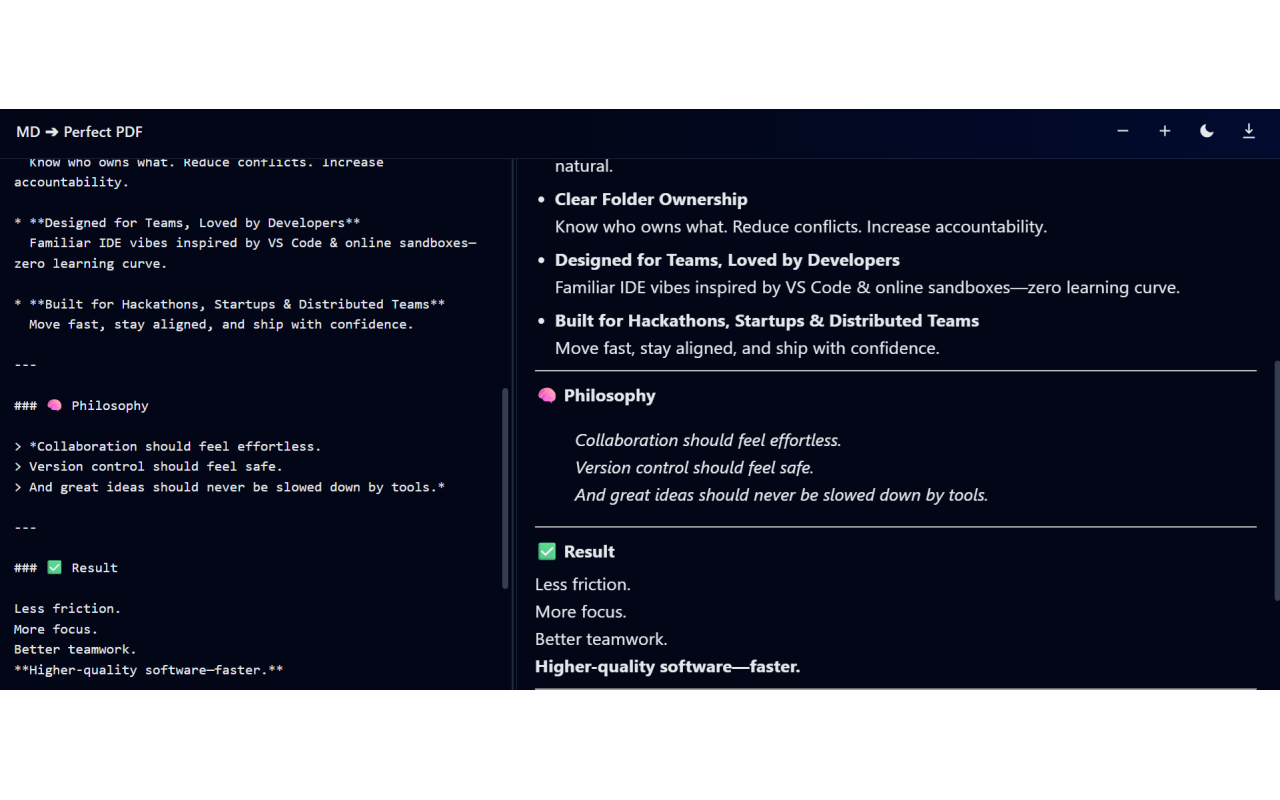
See It In Action
Live Preview & Export
Watch as your Markdown transforms into a perfectly formatted PDF in real-time. No uploads, no waiting, no compromises.
The Problem
Copying Markdown into Word or Google Docs is a nightmare.
- Code blocks become unreadable walls of text
- Headings lose their hierarchy
- Lists break in unpredictable ways
- Page breaks can be painful
- Dark mode export can be inconsistent
You spend more time fixing formatting than writing content.
The Solution
MD to Perfect PDF is built for developers who value precision.
- Live preview exactly like the PDF
- Syntax highlighting preserved perfectly
- Dark/light themes at your fingertips
- Manual page breaks with ---
- Everything stays on your machine
No uploads. No analytics. Just a clean local-first workflow.
Features
Live Preview
See exactly how your PDF will look as you type, with real-time rendering and syntax highlighting.
Theme Toggle
Switch between dark and light themes instantly. Your PDF can match your coding environment.
Code Blocks
Perfect syntax highlighting for dozens of languages. No more unreadable code in your PDFs.
Page Breaks
Control exactly where pages break with simple --- syntax in your Markdown.
100% Private
Your data never leaves your machine. No cloud uploads, no tracking, no accounts.
Export Options
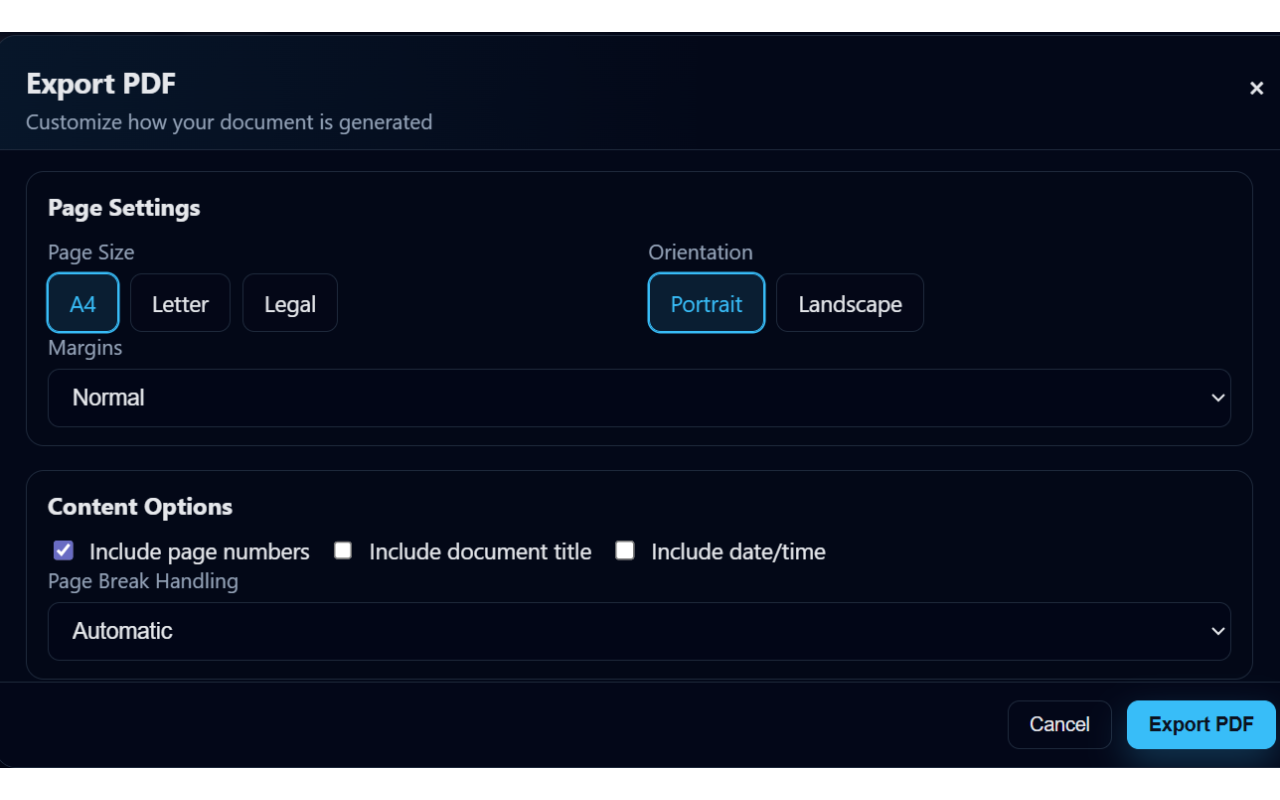
Control page size, margins, fonts, themes, and more. Full control over your output.
How It Works
Paste Markdown
Copy your Markdown or start typing in the clean, focused editor.
Preview Instantly
See your document rendered in real-time with perfect syntax highlighting.
Customize Options
Adjust themes, margins, fonts, and page breaks to match your needs.
Download PDF
Click export and get a pixel-perfect PDF ready for sharing or printing.
Full Control Over Your Export
Your Data Never Leaves Your Machine
No Cloud Uploads
Everything processes locally in your browser.
No Account Required
Download and use instantly without registration.
No Tracking
We don't collect analytics or track your usage.
No Ads
Clean experience without distractions or advertisements.
Open Source
Project updates and support are available on GitHub.
Markdown processing and PDF preparation happen locally in your browser for this release.